 Luminography
Your TV, working while you're not watching.
Luminography turns any TV, tablet or Raspberry Pi into a home display: family photos, your calendar, live scores, the weather and 55 themes in all. Change it from your phone, put it on a schedule, and let it switch the TV on and off by itself.
Free for one screen. No app to install, no card needed.

On the wall in three steps
No app store, no cables, no account on the TV itself.
Create a free account
It takes a minute. Your first screen is free, and so is every theme.
Open one address on the screen
Point the TV or tablet's browser at
luminography.io/devicehome. It connects to your account on its own.Choose what it shows from your phone
Pick a theme on your phone and the screen changes in a moment. Change it again from the sofa whenever you like.
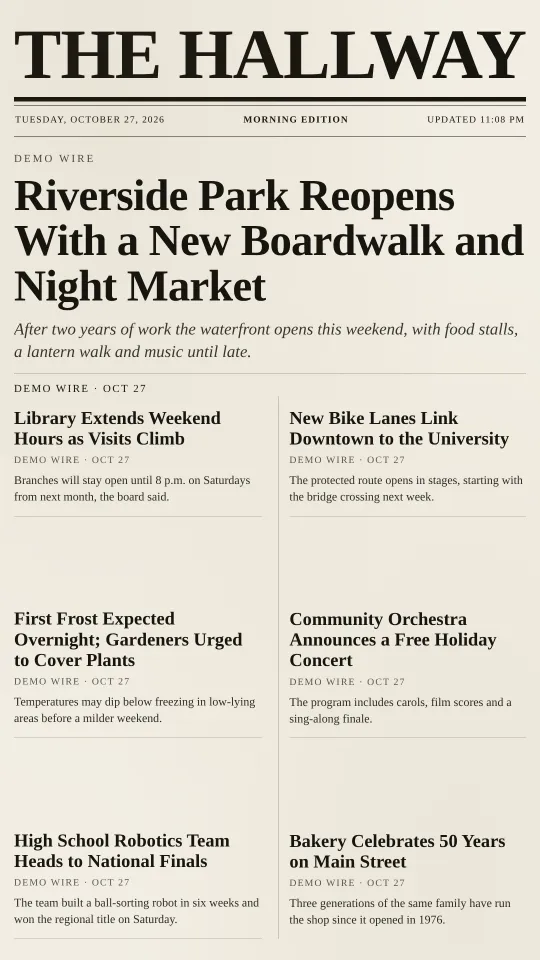
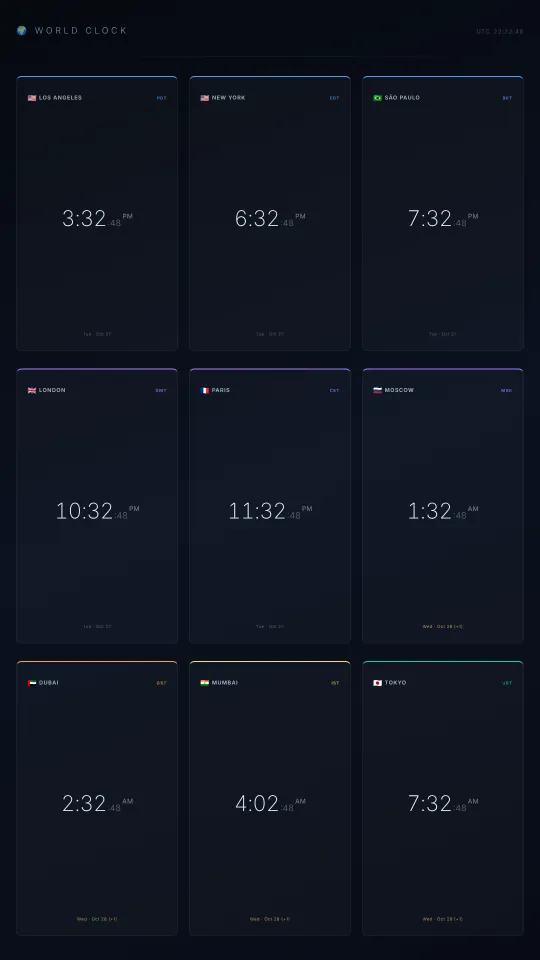
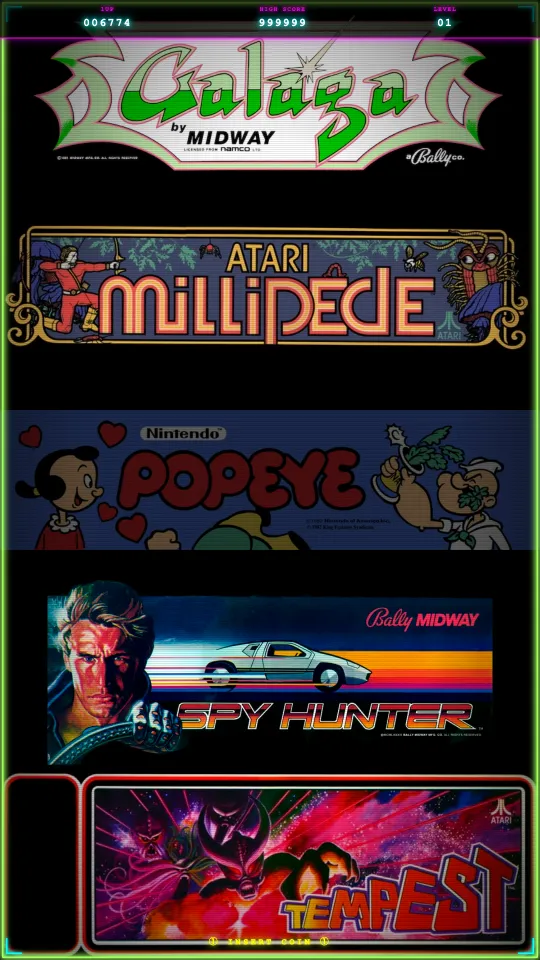
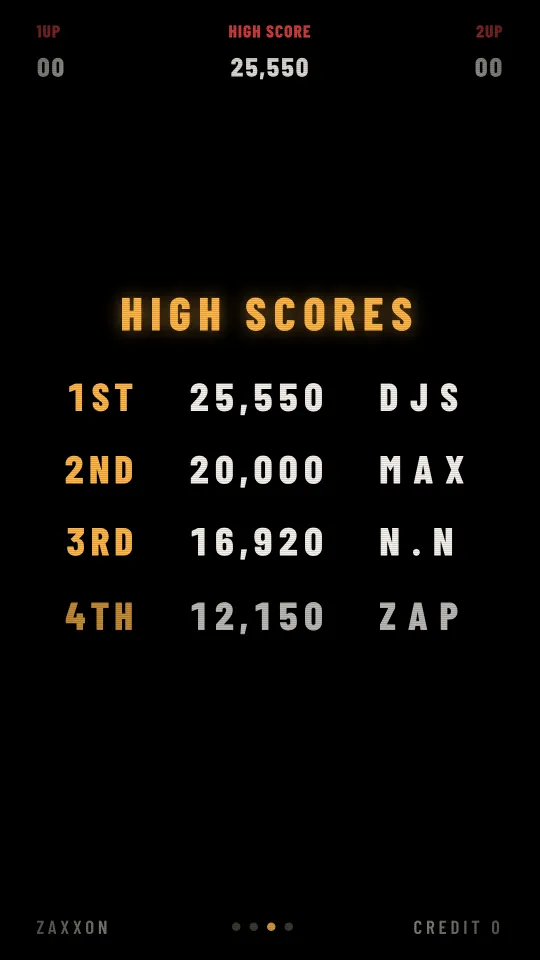
55 themes, made to be read from across the room
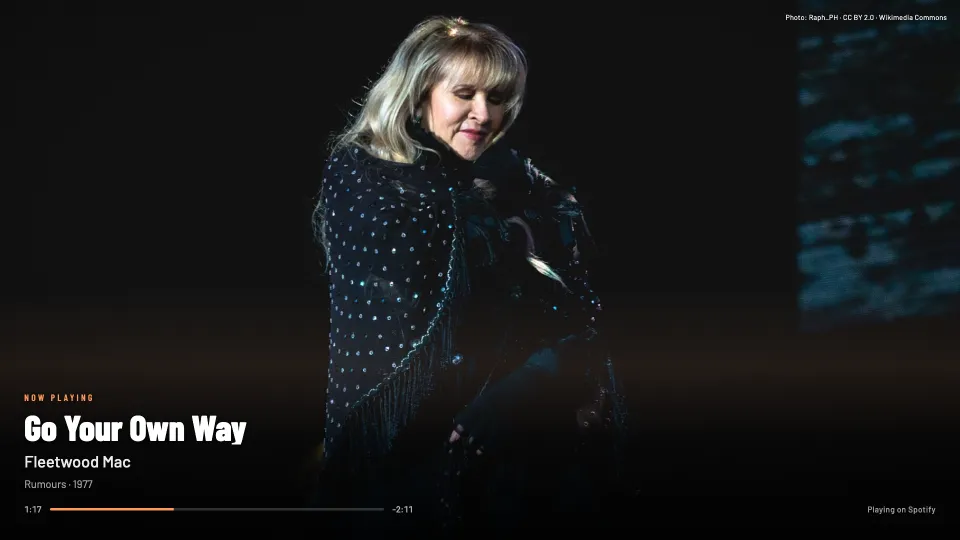
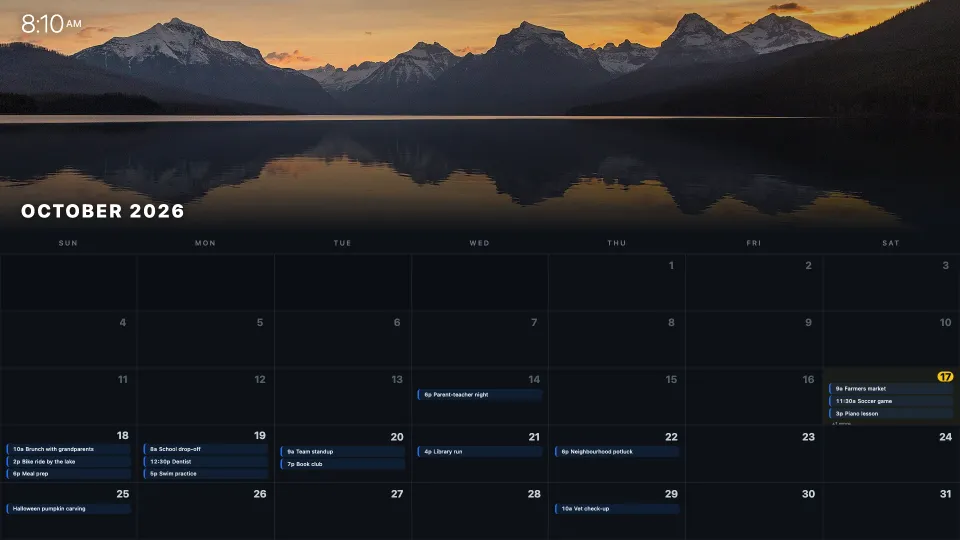
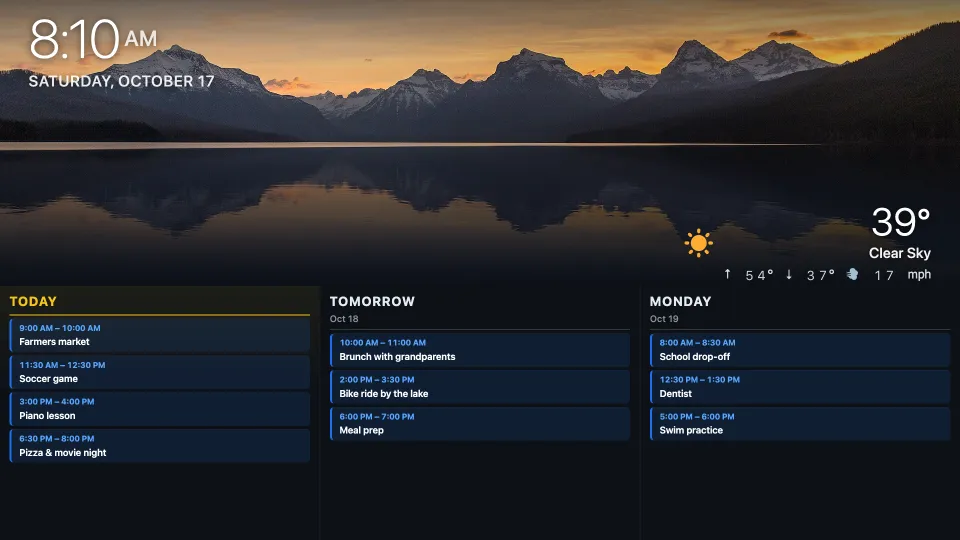
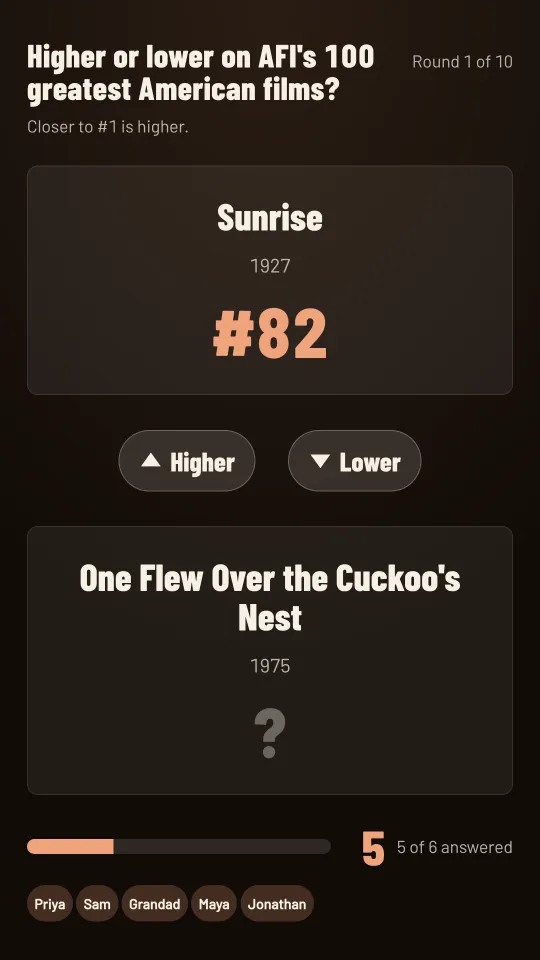
Big type, calm motion and photographs that fill the screen. These are real screenshots.
More than a photo frame
The things a family calendar on the fridge can't do.
Run it from your phone
Switch themes, brightness and rotation on any screen from your phone or laptop. The display updates in a moment.
The TV switches itself on PRO
With our agent on a Raspberry Pi at home, schedules power Roku, LG, Google TV and HDMI-CEC sets on and off. The phone remote that comes with it is on every plan.
Schedules and loops PRO
Photos at breakfast, the calendar before school, the game on Sunday afternoon — or a loop of favourites that rotates on its own.
Your photos, on the wall
Upload family photos or connect Google Photos, and they cycle on your screens with a finish that suits a room.
Trivia the whole room can play
Put Trivia on the TV. Guests scan the code on screen and answer from their own phones.
Works with your smart home
Change a screen or pop up a message from Home Assistant, Node-RED or a script. Your automations call us, so nothing at home is opened to the internet.
Start free. Upgrade when the house wants more.
Every theme is on both plans.
Free
For your first screen.
- 1 screen
- All 55 themes
- Up to 5 photos in your library
- Control from your phone
Pro
For every screen in the house.
- Unlimited screens
- Unlimited photos
- Schedules, including TV power
- Screen groups
Questions
What do I need?
A screen with a web browser: a smart TV, a tablet, or a Raspberry Pi plugged into any TV or monitor. There is nothing to install on the screen, and you manage it from any phone or computer.
Can it really turn my TV on and off?
Yes, on a Pro schedule, with the Luminography agent running on a Raspberry Pi on the same network as the TV. It works with Roku, LG webOS and Google TV sets, and with any TV over HDMI-CEC. Some sets need a setting turned on so they can be woken over the network, such as Fast TV Start on a Roku.
Where do my photos go?
Photos you upload are stored with your account and shown on your own screens through links that expire.
Is the free plan really free?
Yes. One screen and every theme, with no card needed to sign up. Upgrade to Pro from your account whenever you want more screens or schedules.
Put your first screen up tonight.
Free for one screen. A few minutes from sign-up to the wall.